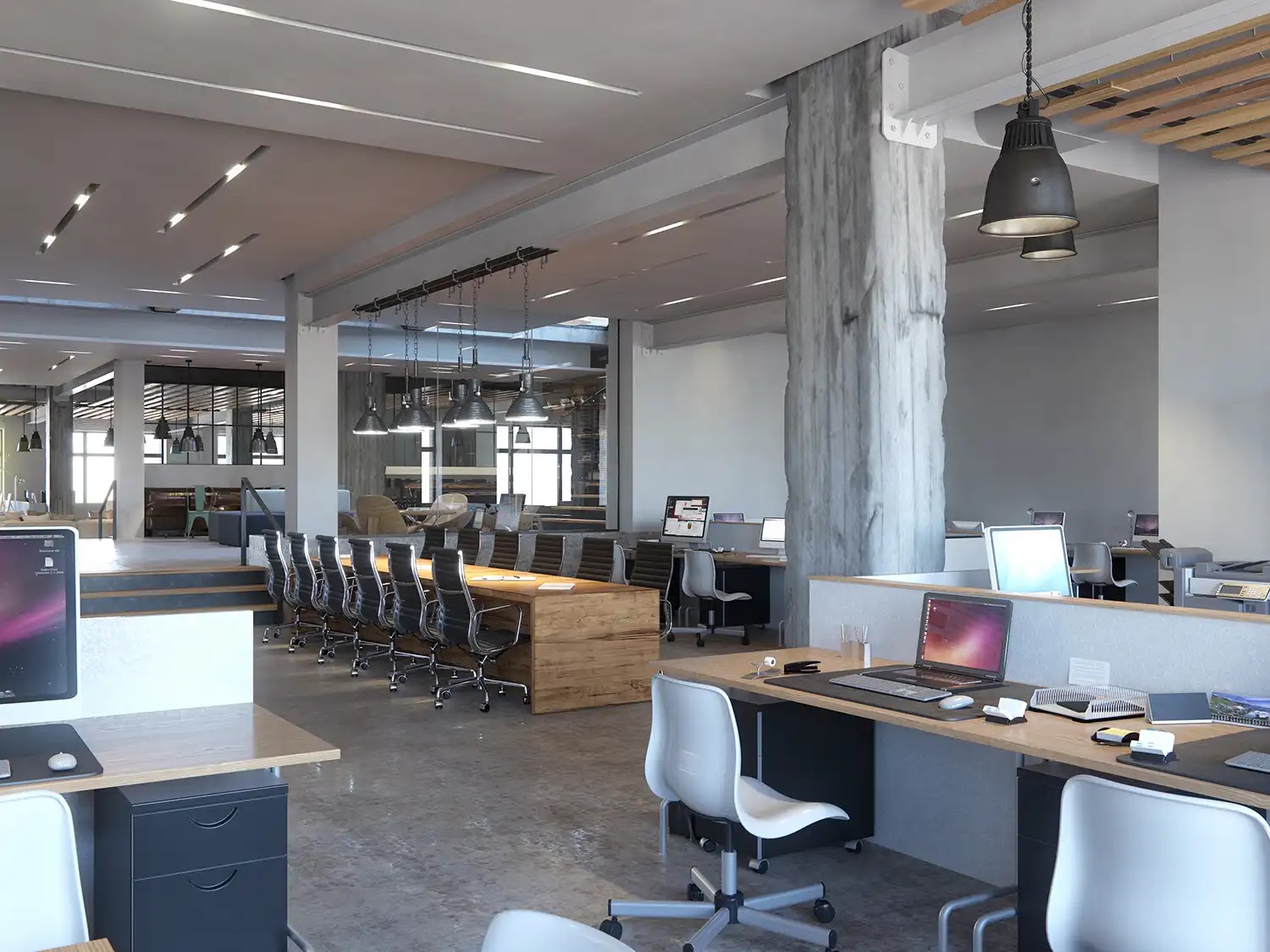
How long do architectural renderings take? Usually anywhere from a few business days to several weeks. A single photoreal still often takes about 2 to 10 business days, a small set of still views commonly takes 1 to 3 weeks, and larger marketing packages, animations, or interactive deliverables usually need longer. That is the short answer most teams need when they are planning around a launch, presentation, or deadline.
The catch is that rendering schedules are shaped less by raw computer render time than by scope, file readiness, project scale, material clarity, output requirements, and how quickly reviewers respond. A simple lobby still with a clean Revit model is very different from eight exterior views for a mixed-use development, and both are very different from a 60-second flythrough. The useful question is not just how long rendering takes in general, but what timeline is realistic for your exact deliverable and handoff.
Table of Contents
- How long do architectural renderings take by deliverable type
- What the rendering timeline actually includes
- The five factors that most change delivery time
- Why review and revisions often determine the real calendar
- When a rush architectural rendering is realistic
- How to shorten the timeline before production starts
- FAQ
- What to Do Next?
RM Design Studio
Planning a rendering project?
Talk with RM Design Studio about your project, the views you need, and your timeline.
How long do architectural renderings take by deliverable type
A single photoreal still commonly takes about 2 to 10 business days. For planning purposes, many teams treat 1 to 2 weeks as a realistic range for one standard still, assuming the design information is reasonably prepared and review is prompt.
A small still-image package, roughly 3 to 10 views, often falls in the 1 to 3 week range. That is a better planning window for brochure sets, investor-deck imagery, or a modest website package than trying to multiply one-image timing by the number of views.
Larger packages usually need more room. Once the scope moves into 10 or more views, complex exterior scenes, aerial perspectives, streetscape context, or multi-building developments, timelines often stretch into 2 to 6 or more weeks. The same image count can also hide very different workloads: three interior amenity views are not the same scheduling problem as three exterior hero views showing podium, tower, landscape, signage, neighboring buildings, and street edge.
Animation and walkthrough work should be planned separately from stills. Depending on length, scope, and review workflow, short architectural animations commonly take 2 to 6 weeks, and 60 to 90 second flythroughs are often closer to 3 to 6 weeks once storyboard or previz review is part of the process. VR, 360, and interactive tour deliverables commonly land around 4 to 6 weeks depending on how much interactive content is included, sometimes longer when navigation, multiple hotspots, or a larger modeled environment are involved.
The key planning rule is simple: use the timeline for the thing you are actually ordering. A marketing director asking for eight exterior views and one aerial hero image is not ordering “a rendering” in the singular. That is a multi-view package, and it should be scheduled like one.
What the rendering timeline actually includes
One reason rendering schedules seem inconsistent is that people often picture only the final machine render pass. In practice, the timeline usually includes a longer production sequence.
That sequence commonly starts with the brief and file review: what is being shown, which views matter, what the image is for, and whether the source material is actually usable. From there, the work may include BIM import or cleanup, model repair, missing-model work if the handoff is incomplete, camera composition, materials and finishes, lighting setup, draft renders, revision rounds, post-production, and final delivery.
Some of those steps are quick on one project and slow on another. If the team hands off a current Revit or DWG model, a clear view list, material references, and site photos, early setup can move efficiently. If the studio is working from PDFs, older drawings, or conflicting references, time gets spent reconstructing and interpreting rather than refining.
Early drafts can also create confusion. In a fast workflow, a draft perspective may appear within two or three days. That does not usually mean the rendering is nearly finished. It means the team has reached a checkpoint where camera direction, mood, massing, or overall composition can be reviewed before more detailed refinement continues.
That distinction matters because studio production time and total calendar time are not the same thing. Production may be moving steadily, while the overall schedule extends because materials are still being selected, camera comments are delayed, or approvals sit with multiple stakeholders for several days between rounds.
The five factors that most change delivery time
If you want to know whether your project is likely to land at the short or long end of the range, five variables do most of the work.
1. Deliverable type. This is the first filter. A single still, a set of six leasing views, a 4K flythrough, and a 360 tour may all fall under architectural visualization, but they do not share the same schedule logic. If the output involves motion, interactivity, or a large image set, plan in weeks rather than assuming still-image timing applies.
2. Source-file readiness. Clean CAD or BIM files can shorten setup because the work starts from usable geometry. A current Revit, DWG, or DXF handoff is very different from a stack of schematic PDFs with missing elevations and unresolved model links. When the studio has to rebuild or repair the model from incomplete 2D information, the modeling stage becomes a schedule risk, not a minor detail.
3. Project scale and context burden. A room, a facade close-up, and a multi-building development may each produce one final image, but they do not require the same amount of preparation. Exterior work often brings site grades, neighboring massing, landscape, streetscape elements, parking, lighting, and broader context into the frame. A drone-style perspective over a large mixed-use site usually carries a heavier production load than an interior lounge still, even if both end as one image.
4. Material certainty. Renderings move faster when the material and finish schedule is clear enough to guide texturing and detailing. If cladding, glazing tint, paving, millwork, furniture, or lobby finishes are still unsettled, the team either pauses, makes assumptions, or revises later. None of those options helps the schedule. Confirmed information can be shown with confidence; provisional information should be treated carefully because it may trigger changes across multiple views.
5. Output requirements. Final use is not an afterthought. A web image, brochure image, investor-deck image, billboard output, and 4K animation do not all ask for the same production choices. Larger outputs or motion-heavy deliverables can require more detail, more rendering time, and more coordination. That does not mean the highest specification is always better. It means the intended use should be defined before the schedule is committed.
Free Guide
Plan Better Renderings Before Your Next Presentation
Use this quick guide to prepare clearer visual direction before project meetings, marketing reviews, or stakeholder presentations.
- Clarify the views your team needs before rendering starts
- Compare exterior, interior, and amenity visuals with more focus
- Prepare stronger notes for design, leasing, or marketing discussions
Enter your email to access the guide.
Why review and revisions often determine the real calendar
Even when production is well organized, review behavior often decides whether the overall timeline stays on track.
Many rendering schedules include a limited number of revision rounds, often one to three. That is enough for direction, refinement, and final polish on many projects. It is not the same as unlimited redesign inside the original date.
The biggest difference is usually not whether revisions exist, but what kind of revisions they are. Minor adjustments such as a small camera shift, a color correction, or a modest atmosphere change may be handled quickly. Larger changes are different. Revised geometry, new furnishings, facade redesigns, major finish swaps, or late landscaping updates can add multiple working days because they affect more than surface polish.
Review structure matters just as much. Consolidated comments from one coordinator are usually faster than separate messages from an ownership group, leasing lead, architect, and interior designer all marking up the same draft independently. Once comments conflict, time is lost not only in revision work but in deciding which direction is actually approved.
That is why client review time can become the biggest calendar variable. A studio may be ready for the next round, but if comments arrive in fragments over several days, or if no one has authority to approve a glazing direction, signage package, furniture swap, or finish change, the timeline expands even when production effort has not changed.
Committee review is not always wrong. Some projects need broader input. But it comes with a schedule cost. If deadline certainty matters, the cleaner rule is to gather internal opinions first, issue one consolidated revision round, and make sure one person can confirm the final direction.
Late design changes should also be treated honestly. If the team approves a draft exterior perspective and then changes exterior geometry, lobby furnishings visible through the glazing, or the material palette across several views, that is a schedule event. It is not just touch-up work under the original finish date.
When a rush architectural rendering is realistic
A rush schedule can be real, but only in narrow conditions. For still-image work, a rough 24 to 72 hour turnaround may be possible for a very simple, fully prepared project with immediate reviewer response. In many cases, 48 to 72 hours is a more realistic rush minimum than assuming one-day delivery.
The strongest rush candidates are simple and tightly defined: one still rather than a full package, a complete brief, a clean Revit or DWG handoff, a confirmed material palette, one approved camera angle, and reviewers who can respond the same day. A leasing team needing one lobby rendering for a pitch deck in two days can sometimes fit that profile.
Once any of those conditions disappear, the rush case weakens quickly. If the scope includes multiple exterior views, missing model information, unresolved finishes, site-context reconstruction, or several reviewers, the request is no longer a clean emergency still. It is a compressed normal project, which is much harder to deliver responsibly.
Rush work also usually involves tradeoffs. The team may need to reduce scope, limit revision flexibility, or phase delivery instead of expecting the entire original package at the same level of finish. If the deadline cannot move, the practical choice is often to prioritize one hero still first and schedule the rest of the image set after that.
What rush does not mean is that premium pricing automatically fixes missing inputs or makes a complex animation behave like a simple still. A walkthrough, VR deliverable, or large exterior marketing package is usually not a safe candidate for extreme compression, no matter how urgent the presentation date feels.
How to shorten the timeline before production starts
The most useful timeline improvements usually happen before production begins, not after the first draft is already under review.
First, define the exact deliverable set. “We need renderings” is not enough to build a reliable schedule. List the actual scope: one exterior hero still, six brochure images, a 60-second walkthrough, or a 360 tour. A schedule becomes more accurate as soon as the request stops being generic.
Second, gather the best available handoff files and be honest about what is incomplete. A current DWG, DXF, or Revit file can save time. If model areas are missing, linked files are outdated, or parts of the project are still only documented in 2D, flag that at kickoff rather than letting it emerge midstream.
Third, package the visual direction, not just the geometry. Material and finish schedules, furnishing references, facade references, site photos, context imagery, and preferred view directions all reduce guesswork. A clear view list or camera preference can prevent an avoidable first-round delay, especially on exterior work where street-level and aerial perspectives serve different purposes.
Fourth, clarify final use before the production schedule is set. A brochure image, investor-deck image, billboard output, animation, and 360 tour may require different production choices. If the output format changes late, the schedule may need to change with it.
Fifth, assign review ownership before the first draft arrives. One person should consolidate comments, and one person should have final approval authority. Without that structure, even a well-prepared rendering package can slow down once multiple markup sets start competing.
Finally, build room for review time, not just studio time. Teams often plan backward from a launch or presentation and leave space only for production. The safer approach is to reserve time for at least one or two review cycles as part of the calendar, because that is where otherwise predictable schedules often slip.
FAQ
How long does one architectural rendering usually take?
For one photoreal still, a common planning range is about 2 to 10 business days, with 1 to 2 weeks often being a reasonable expectation. That range can stretch depending on scene complexity, source-file quality, and how many revision rounds are included.
Why do architectural rendering timelines vary so much between studios and projects?
Because the timeline is shaped by more than rendering software. Deliverable type, project scale, CAD or BIM readiness, material certainty, output requirements, and review speed all change the schedule. A single interior still and a multi-building exterior package may both be called renderings, but they are not comparable workloads.
Can architectural renderings really be done in 24 hours?
Sometimes, but only as a narrow rush case. A 24-hour turnaround is most realistic for a very simple still with a complete brief, clean model, confirmed materials, a selected camera, and immediate reviewer response. For standard rush stills, 48 to 72 hours is often a more realistic minimum.
What files and information should I send to get a realistic rendering timeline?
Send the best available CAD or BIM files, such as Revit, DWG, or DXF, plus a material and finish schedule, view list, reference images, site photos for exterior work, intended output format, and who will consolidate comments. That combination makes schedule estimates much more reliable.
Do revisions count in the original rendering timeline?
Often yes, but usually only within a limited number of revision rounds. Extra rounds, conflicting comments, or larger design changes such as geometry revisions, finish swaps, or furnishing changes can push the project beyond the original schedule.
What to Do Next?
Before you commit to a rendering deadline, match the schedule to the actual deliverable. A single still, an image set, a walkthrough, and a 360 tour should not be planned with the same calendar assumption.
- List the exact views or deliverables needed, including quantity and type.
- Check whether the available CAD or BIM files are current enough to support the timeline you want.
- Gather material references, finish schedules, site photos, context imagery, and preferred camera directions.
- Define the final output use early, whether it is for web, brochure, investor deck, billboard, animation, or 360 delivery.
- Assign one person to consolidate comments and one person to approve revisions.
- Build review time into the schedule instead of treating production time as the entire project timeline.
If the deadline is tight, decide early what matters most: speed, scope, or polish. That usually leads to a more realistic schedule than trying to compress all three at once.
RM Design Studio
Ready to discuss your project?
Email your project brief to RM Design Studio, or call us to discuss the renderings you need.