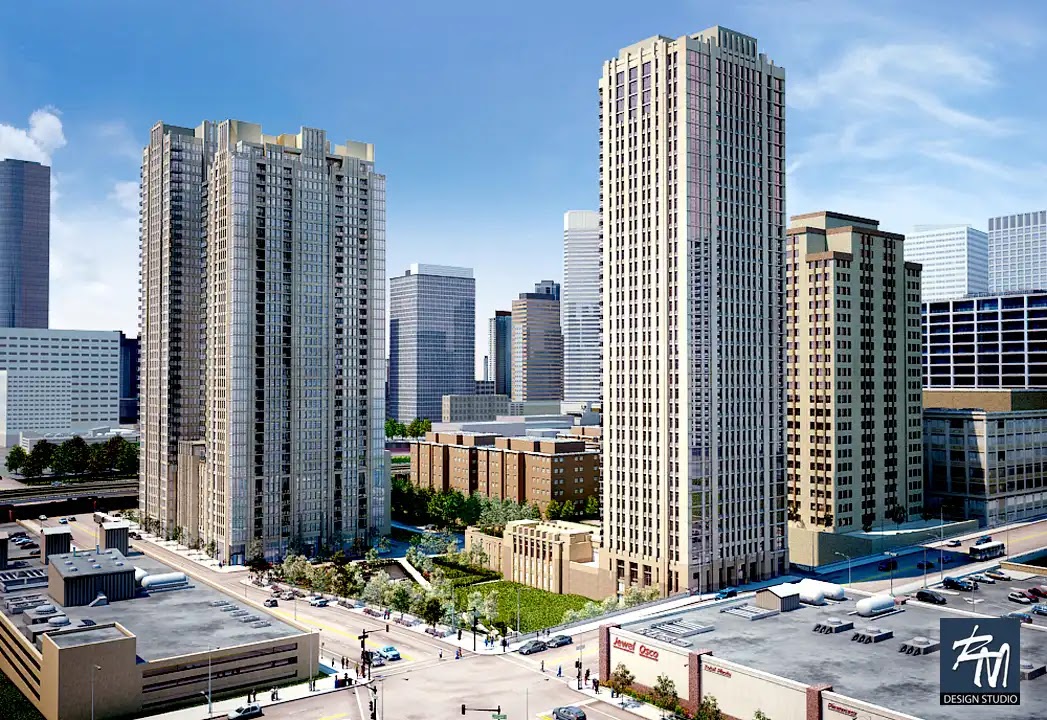
pre construction renderings are visuals created before a development is built, when photography does not yet exist. They help teams present an unbuilt project for marketing, leasing, investor decks, planning conversations, sales centers, and internal review. The useful question is not simply whether the image should look photoreal. It is what the image needs to help a specific audience understand, compare, question, or decide.
The right rendering package changes with project stage, audience, required views, source files, final placement, review process, and usage rights. A leasing brochure, investor presentation, planning view, and internal design study may all describe the same building, but they do not need the same camera logic, level of polish, or output size. The sections that follow break those choices into practical decisions before production begins.
Table of Contents
- What pre construction renderings are actually for
- Which deliverables make sense for your audience and use case
- What to prepare before commissioning pre construction renderings
- How fidelity, resolution, and timeline should match the job
- Why marketing renderings and planning visuals should not be treated the same
- The avoidable mistakes that create rework, delays, and usage problems
- FAQ
- What to Do Next?
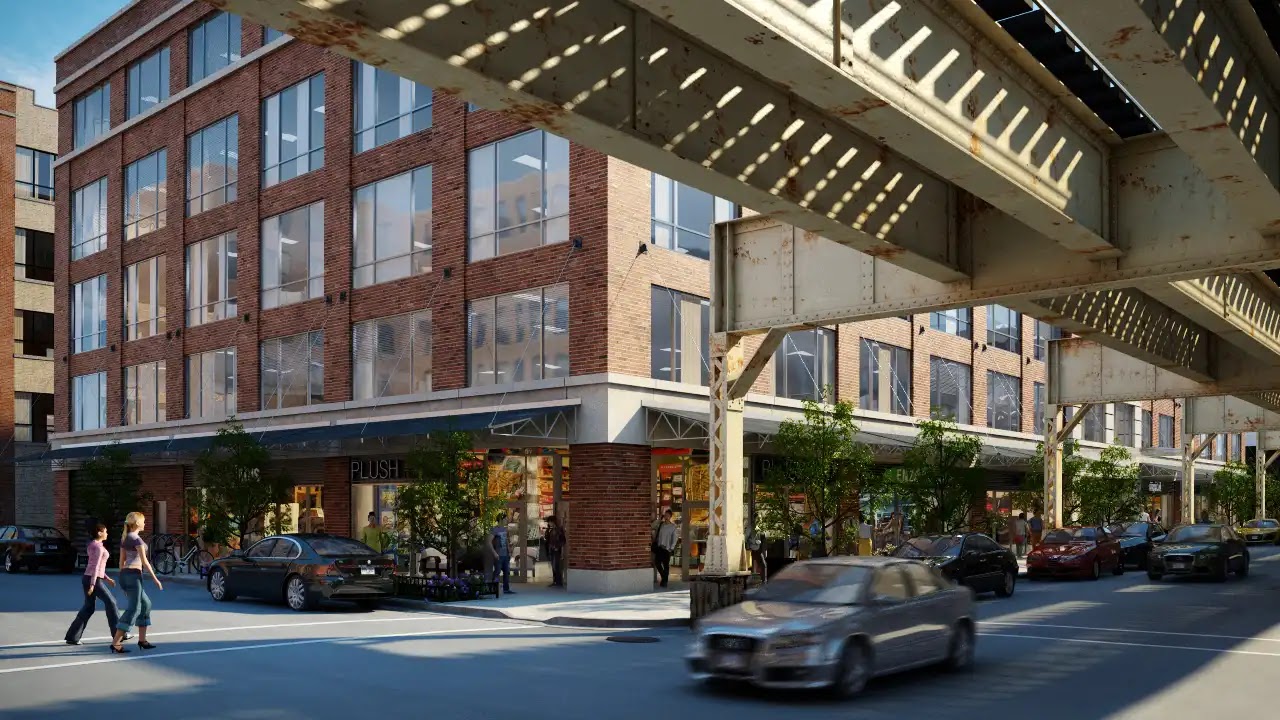
Urban Frontage
Assess Retail Frontage in Urban Context
Study how the building meets the street beneath elevated transit infrastructure.
What pre construction renderings are actually for
Pre-construction renderings are project communication images made before a building, interior, district, or development is physically complete. They are useful because an unbuilt project still needs to be explained long before there is photography: to brokers, tenants, investors, planning consultants, public audiences, ownership groups, design teams, and internal decision-makers.
The most important early decision is the intended use. A website hero image may need to show character, frontage, landscape, and atmosphere. An investor deck may need a clear read of scale, location, phasing, and development potential. A planning-oriented visual may need to show massing, height, facade treatment, adjacent buildings, and street-level impact with less dramatic treatment. An internal review image may be faster, looser, and more concerned with comparing options than with finished presentation.
This is why asking for “a few renderings” can create confusion. The same camera angle rarely serves every audience equally well. A leasing image can be persuasive and still remain credible, but it may not provide the documented viewpoint or context needed for a planning discussion. A design-review view can expose unresolved details that would distract in a marketing piece. The rendering is not just an image; it is a decision tool shaped around the audience, project stage, and question being asked.
Which deliverables make sense for your audience and use case
Most pre-construction rendering packages begin with still images because they are direct, flexible, and easy to place across websites, brochures, listings, pitch decks, print materials, and design-review meetings. Common still-image deliverables include a hero exterior, streetscape view, aerial or bird’s-eye context image, lobby rendering, interior lifestyle view, amenity space, sales gallery visual, masterplan perspective, or a specific view required by a consultant or planning team.
The right set depends on what the audience must understand. A leasing team might need two strong exterior images, one lobby view, and one amenity image sized for a website and brochure spread. A marketing director may need aspect ratios for web banners, social crops, and print collateral. An ownership group may need a concise investor sequence that shows site context, arrival, exterior character, and key shared spaces without overloading the deck.
Animation or walkthroughs make more sense when sequence matters. Arrival from the street, circulation through a lobby, movement through an amenity level, or the relationship between buildings in a larger masterplan can be difficult to explain with isolated stills. Interactive or VR formats can help with immersion or complex spatial understanding, but they add production complexity and should be justified by the actual presentation setting. They are not automatically better than still images.
Some deliverables also carry accuracy expectations. A verified view, photomontage, or planning-oriented street-level image may need a documented camera position, agreed context, and careful review of height, massing, and adjacent buildings. That is a different assignment from a mood-rich leasing image, even if both describe the same future building.
What to prepare before commissioning pre construction renderings
A useful brief for pre-construction rendering production should define the audience, intended use, required shots, final placements, mandatory viewpoints, output sizes, and review responsibilities. It should also name what is still undecided. Unresolved landscape design, lobby finishes, furniture, signage, lighting, or facade details are not small footnotes; they become visible assumptions in the image.
Source information should be authoritative and clearly assigned. Depending on the project, that may include CAD or BIM exports, floor plans, elevations, sections, site plans, reflected ceiling plans, site photography, GIS or site context, facade material references, finish schedules, landscape information, lighting intent, FF&E references, and marked-up drawings. If multiple drawing sets or models exist, the team should identify which one governs the rendering work.
This matters because missing or conflicting inputs often show up as rework. If the visualization team receives an older Revit model, a newer PDF elevation, and separate markups from a design meeting, someone needs to clarify which source takes priority. If the landscape package is still evolving, the brief should say whether trees, paving, planters, and outdoor furniture are placeholders or current design intent. If the lobby stone, wood tone, and furniture are not final, those items should be reviewed as assumptions rather than treated as settled design.
Final placement should be discussed early as well. A website banner, brochure spread, investor deck, sales-center wall, signage panel, or hoarding can require different composition and resolution. Large-format uses are easier to plan before production than to retrofit after a final image has already been cropped and approved for a smaller purpose.
Free Guide
Plan Better Renderings Before Your Next Presentation
Use this quick guide to prepare clearer visual direction before project meetings, marketing reviews, or stakeholder presentations.
- Clarify the views your team needs before rendering starts
- Compare exterior, interior, and amenity visuals with more focus
- Prepare stronger notes for design, leasing, or marketing discussions
A practical checklist to help your team prepare.
How fidelity, resolution, and timeline should match the job
Visual fidelity should match the project stage and the decision in front of the team. Early feasibility or schematic design may only need conceptual massing, mood, and broad material direction. Those images can support internal review without pretending that every facade joint, planting selection, or furniture piece is resolved. Later marketing, leasing, sales-center, or investor-facing materials usually need a more polished finish because they are representing the project to audiences that are not involved in daily design development.
Photorealism is valuable when the design is stable enough to support that level of detail, but it is not the best default for every moment. If the massing is still shifting, if the retail frontage is undecided, or if the interiors have not been developed, a fully polished image can create false certainty. A simpler study image may be more honest and more useful for comparing options.
Resolution should be tied to destination. Web imagery and presentation decks may only need HD-scale output or a modest high-resolution file, depending on placement. Print brochures and large presentation boards often benefit from 4K-scale output. Hoardings, sales-center wall graphics, and other large-format displays may justify 8K-scale files or a separately planned crop. Bigger files do not automatically improve the audience’s experience if the final placement cannot use the extra resolution.
Timeline is also conditional. As an estimate, still-image sets are often planned in days to a couple of weeks depending on scope, complexity, design readiness, revision rounds, and provider capacity. Animations, walkthroughs, and interactive formats usually require more time because they involve more frames, more coordination, and more opportunities for small unresolved details to become visible. In practice, schedules are often driven as much by missing references, design changes, and scattered review comments as by rendering production itself.
Why marketing renderings and planning visuals should not be treated the same
Pre-construction marketing visuals and planning-oriented visuals can overlap, but they should not be assumed to be interchangeable. Marketing and leasing imagery can use atmosphere, lifestyle cues, warmth, seasonal planting, carefully chosen time of day, and selective emphasis. Those choices are legitimate when the image is meant to help an audience understand the character of a future place, as long as the result remains credible to the actual project.
Planning visuals have a different responsibility. They often need to explain scale, height, massing, facade visibility, material treatment, site relationships, and street-level impact. A planning consultant or review audience may care less about a dramatic sunset and more about how the building sits beside its neighbors, how much of the facade is visible from a certain point, or how the ground floor meets the public realm.
For that reason, camera logic matters. A dramatic low angle that works well for a brochure may exaggerate height or minimize surrounding context. A distant aerial may be attractive but fail to answer a street-level question. Some planning workflows use verified viewpoints, documented camera positions, or photomontage context, which changes both how the image is built and how it should be reviewed.
The practical takeaway is not that marketing imagery is misleading or that planning imagery must be dull. It is that each visual should be honest about its purpose. When the goal is persuasion, atmosphere can help. When the goal is explanation or review, exaggerated angle, lighting, or context treatment can reduce trust and create avoidable questions.
The avoidable mistakes that create rework, delays, and usage problems
The first common mistake is starting without a defined use. If the team does not know whether the image is for a website, investor deck, planning meeting, broker package, sales center, internal design review, or large-format display, the camera angle, crop, level of detail, and resolution can easily be wrong. The result may be a good-looking image that does not answer the actual need.
The second mistake is treating incomplete references as harmless. Missing finish schedules, furniture selections, facade materials, landscape drawings, signage direction, site photography, or lighting assumptions force the visualization team to fill gaps. Those assumptions may be reasonable, but they should be visible to the project team. Otherwise, late corrections can require re-rendering after people have already reacted to the draft.
Review structure is another frequent source of trouble. Pre-construction imagery often involves ownership, architects, interior designers, landscape consultants, leasing teams, brokers, marketing teams, and project managers. If everyone sends comments separately, the feedback can conflict. A single review owner, or at least one consolidated comment set, helps the team decide which notes are design corrections, which are presentation preferences, and which are new scope.
Usage rights should also be clarified before production and before images move to third parties. A rendering may be used on a website, in brochures, in advertising, in an investor deck, by a broker, on a listing platform, in a sales center, or in a later campaign. Those uses may depend on contract language, license terms, and any third-party assets involved. The safest approach is to confirm allowed channels, reuse, sublicensing, and transfer expectations in the agreement rather than assuming unlimited use after final delivery.
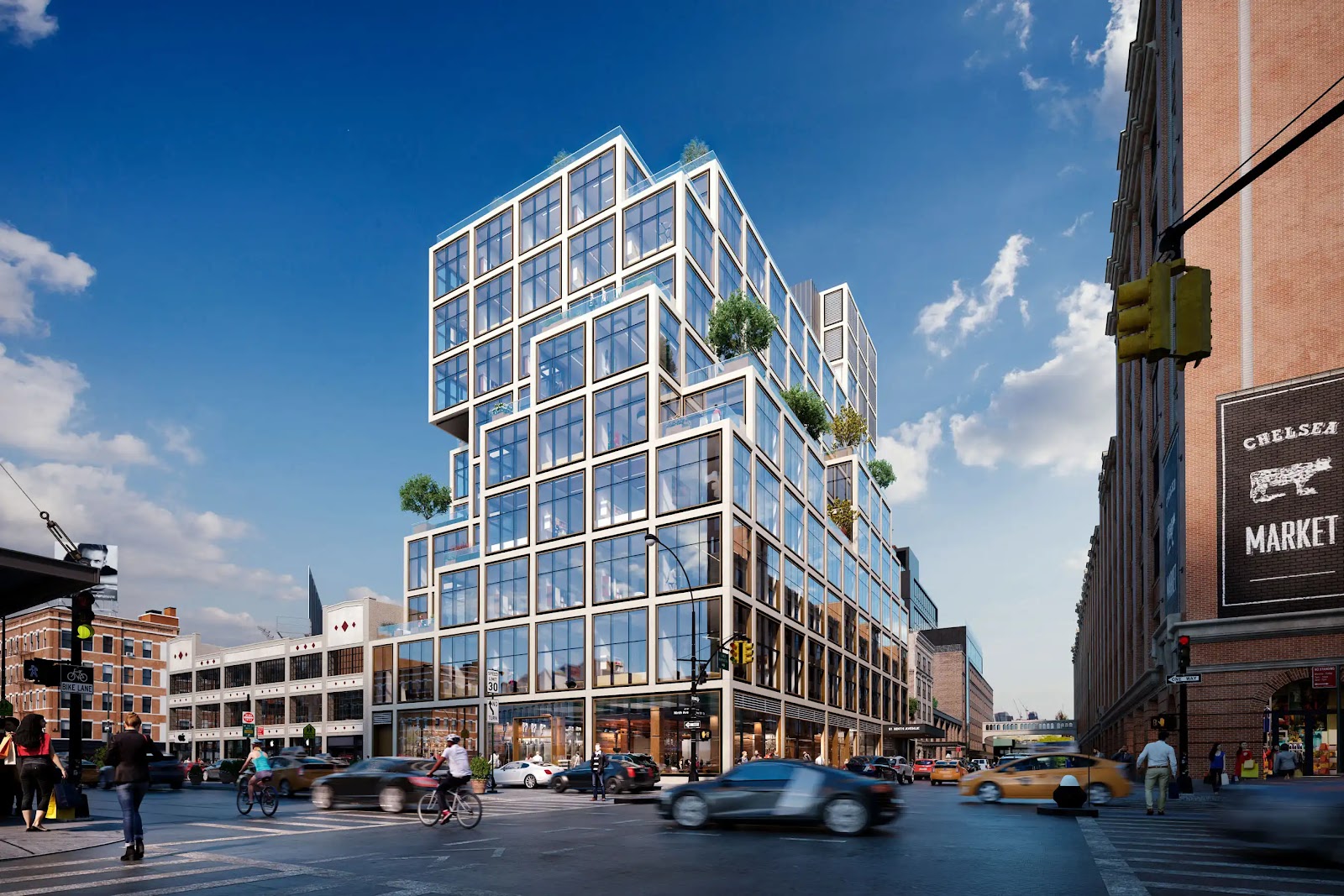
Mixed-Use Exterior
Assess Street Presence and Massing Choices
Study the building’s street-facing composition, glazing, and planted edges in context.
FAQ
What is typically included in a pre-construction rendering package?
A package may include hero exterior views, streetscapes, interior lifestyle renderings, lobby or amenity images, aerial context views, masterplan perspectives, planning views, animations, walkthroughs, or interactive formats. The package should be built around the intended use rather than a fixed menu.
Do pre-construction renderings need to be photorealistic?
Not always. Marketing, leasing, and investor-facing imagery often benefits from a polished finish, but early internal review may need faster conceptual images. If the design is still changing, too much realism can make unresolved items look final.
What files and references should you send for unbuilt project renderings?
Useful inputs often include CAD or BIM exports, current plans, elevations, sections, site plans, site photography, material schedules, landscape information, lighting direction, FF&E references, and marked-up drawings. The team should also identify the authoritative file set and note unresolved assumptions.
How long do pre-construction renderings usually take?
Timelines vary by scope, complexity, design readiness, number of views, fidelity, revisions, and review coordination. Still images are often discussed in days to a couple of weeks, while animations and interactive work usually require more time.
Can the same rendering be used for marketing and planning submissions?
Sometimes parts of the work can overlap, but the same final image should not be assumed to serve both purposes. Marketing visuals may emphasize atmosphere and appeal, while planning visuals often need more restrained viewpoint logic, context, and scale clarity.
Free Guide
Plan Better Renderings Before Your Next Presentation
Use this quick guide to prepare clearer visual direction before project meetings, marketing reviews, or stakeholder presentations.
Prefer to talk it through? Email us at info@rmdesignstudio.com or call 630.540.1222.
What to Do Next?
Before commissioning renderings, write down the first audience and the decision the images need to support. List the exact uses needed in the next phase, such as a website, brochure, investor deck, planning meeting, sales center, broker package, or internal review. Then choose the minimum useful deliverable set before adding animation, interactive formats, or extra views.
Gather the current authoritative drawings, models, schedules, site photos, material references, landscape information, and FF&E direction. Mark unresolved items clearly so assumptions can be reviewed instead of hidden. Note any mandatory viewpoints, context requirements, aspect ratios, print sizes, large-format placements, and delivery sizes before production starts.
Finally, decide who will consolidate comments, how many review rounds are expected, and where the finished images may be used. Confirm web, print, advertising, broker, listing, sales-center, investor, and future campaign uses in the relevant contract language so the images can move through the project without avoidable confusion.